

 Claude Code
- Security
- Cloud Server
Run Claude Code on a server, why a VPS helps, what it costs and how to stay safe
Keep Claude Code working while your laptop sleeps and check in from your phone, with the cost of Claude plans and the server
The XVer team 6 min read 5 min to do Beginner
Also in ภาษาไทย
On this page
Yes, you can run Claude Code on a remote server, and it pays off when you want long tasks to keep going after you close your laptop. Start a session in tmux on a Cloud Server, leave it working, and reattach from your phone or another computer. Claude Code is not free: you need a paid Claude plan or an API key, plus the server.
Why run Claude Code on a server#
Claude Code works in a terminal. It reads your project, edits files and runs commands. Fixing a whole test suite or migrating a codebase can take hours, and on a laptop the work stops when the lid closes.
| On your computer | On a server |
|---|---|
| Lid closes or Wi-Fi drops, the work stops | The work keeps running in tmux until it is done |
| You can only check from one machine | Reattach from your phone, an office PC or a browser |
| The agent can reach every personal file | It sees only the files on this server |
| Builds and tests slow your machine down | They use the server's CPU and RAM |
- Laptop or phone connects by web terminal or SSH
- tmux on the Cloud Server keeps the session while you are away
- Claude Code reads and edits files in the project folder
- Anthropic runs the model on your account
Close the laptop, keep the work#
tmux keeps the session on the server. Press Ctrl + b, then d, to leave it running. Come back at any time with one command.
tmux attach -t workCheck in from your phone#
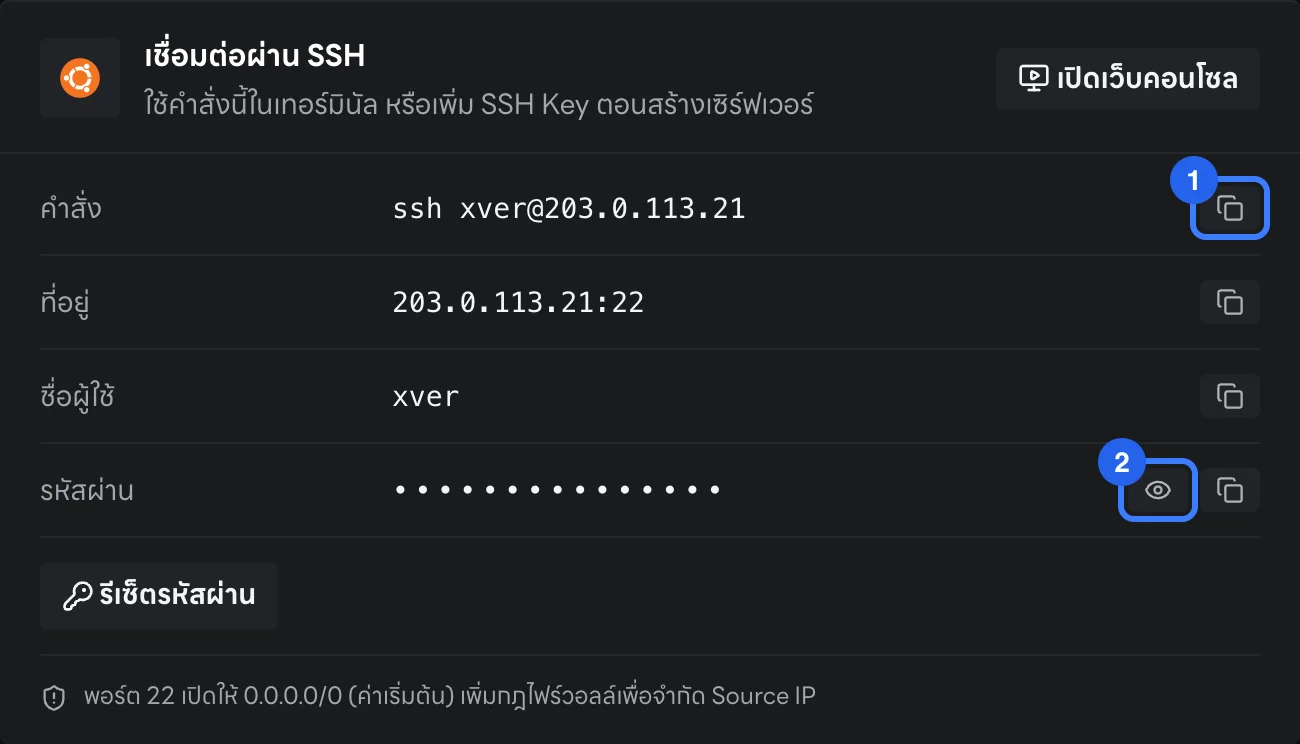
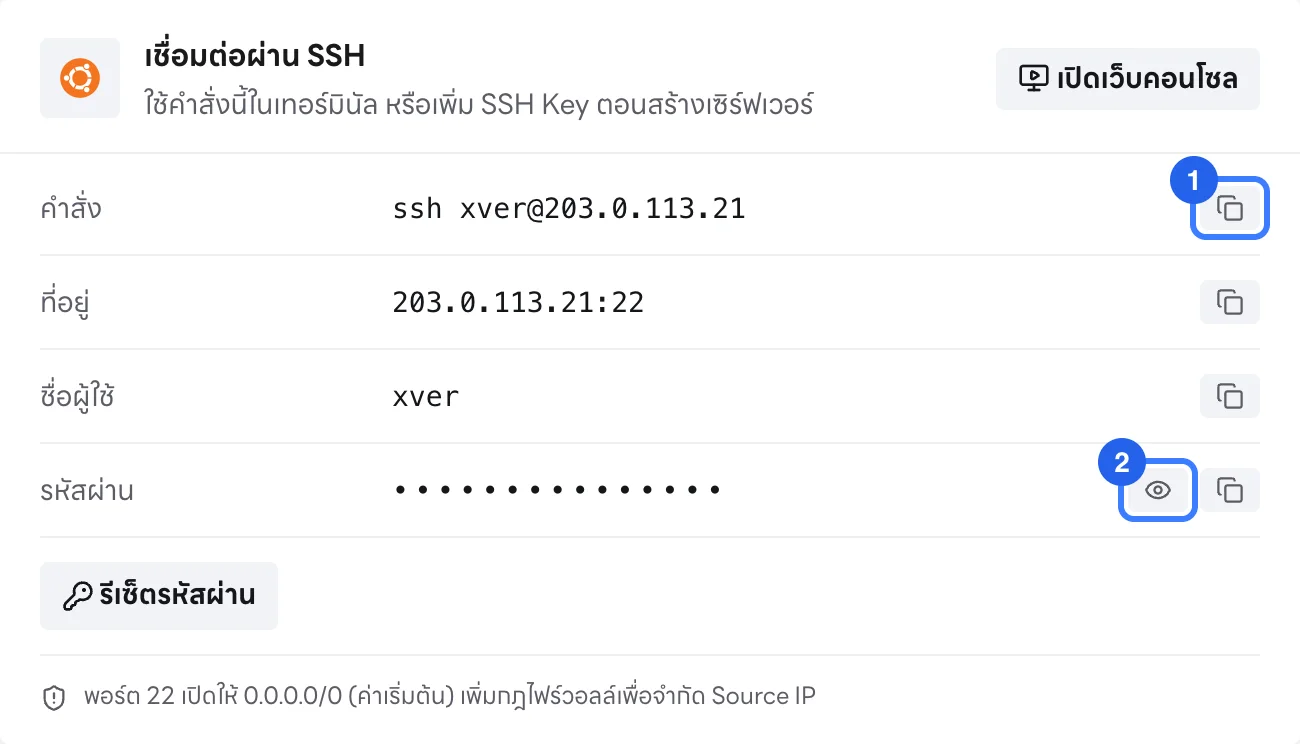
There are two ways. The first is an SSH app on your phone, with the user name and password from the server's Access tab, then the command above.
The second is Claude Code's Remote Control (opens in a new tab). Type /remote-control in the session, then carry on from the Claude app or claude.ai/code.
Give the agent its own machine#
An agent that runs commands should not share a machine with your saved browser passwords, personal SSH keys or other work. A server that holds one project limits the damage. If it breaks, delete it and start again.
A server close to Thailand#
XVer Cloud Servers are in a Bangkok data center, so SSH and the web terminal feel responsive from Thailand and nearby. How fast Claude answers depends on Anthropic, not on where the server is.
How much does Claude Code cost? Is it free?#
Claude Code is not free. Anthropic's docs (opens in a new tab) say the free claude.ai plan does not include it. You need a subscription, a Claude Console account billed for API use, or a cloud provider such as Amazon Bedrock.
| Plan | Price as of November 2026 | Claude Code |
|---|---|---|
| Free | Free | No |
| Pro | $20 a month, or $17 a month billed yearly | Yes |
| Max | $100 a month | Yes |
| Ultra | $200 a month | Yes |
| Team (Standard) | $25 per seat a month, or $20 billed yearly | Yes |
| API through Claude Console | By the tokens you use | Yes |
Source: Claude pricing (opens in a new tab). Prices change, so check that page before you subscribe.
Subscription
- The same bill every month, no surprises
- Usage limits per time window. Max gives about 5 times Pro
- Remote Control lets you steer work from your phone
API key
- Pay for what you use
- Suits scripts and automation
- Type
/usageinClaude Code to see the current session
Start with Pro. Move to Max if you hit the limits often.
What the server costs#
Claude Code needs 4 GB of RAM or more, per Anthropic's system requirements (opens in a new tab), so the Marketplace app starts at 2 vCPU, RAM 4 GB, NVMe disk 40 GB, Bandwidth 4 TB. Pick the next size up if your project builds or runs heavy tests.
What a day, a week or a full month on the smaller plan comes to:
| Item | You pay |
|---|---|
| Cloud Server | XVer |
| Claude plan or API use | Anthropic, directly |
| Claude Code from the Marketplace |
Nothing extra |
Start in 5 minutes#
The full install guide is on the Claude Code page in the Marketplace. The short version:
- Open the app page and press Install Claude Code
- Check the plan and the price, choose a password or SSH key, and accept Anthropic's terms
- Press Create server and install, and wait for it to finish
- Press Web terminal on the server page and run the commands below
- Sign in with your Claude account
tmux new -s work
mkdir -p ~/my-project
cd ~/my-project
claude
When it works: after you sign in, the terminal shows Login successful and asks you to press Enter.
| If you see this | Do this |
|---|---|
| No browser opens at sign-in | Press c to copy the link, open it on your computer, and paste any code you get at Paste code here if prompted |
| SSH dropped and the work seems gone | Connect again and run tmux attach -t work |
| An API key is set but you want your subscription | Run unset ANTHROPIC_API_KEY, then type /status to see which account is in use |
| It says your login has expired | Type /login and sign in again |
Using Claude Code safely on a server#
The agent can run anything the server's user can. Set the server up so a mistake costs little.
- Use a separate key. If you pay for API use, create a key just for this server. When you retire the server, delete that key in Claude Console without touching anything else
- Keep live secrets off the box. No production database passwords or company cloud keys. The agent can read files on the server, so use test values
- Work through git. Commit before a big task, let the agent work on its own branch, and read
git diffbefore you merge - Start in the project folder, not in your home folder, and type
/sandboxto limit the files and network that commands can reach - Use an SSH key rather than a password. See securing an
 Ubuntu server
| Permission mode | When it asks first |
|---|---|
| Auto (the default) | A second model reviews actions for you and blocks unsafe ones |
| Manual | Before edits, and before commands that do more than read |
| Accept Edits | Edits in the work folder go through. Others still ask |
Questions#
Is Claude Code free?
No. It needs a Pro, Max, Ultra, Team or Enterprise plan, or a Claude Console account billed for API use. The free claude.ai plan does not include Claude Code.
Does Claude Code keep working when I close my laptop?
Yes, if it runs on a server inside tmux. On your own computer it stops when the machine sleeps.
What size of VPS do I need?
Anthropic asks for 4 GB of RAM or more, which is where the Marketplace app starts. Choose a bigger plan if you build or test heavy projects.
Does XVer sell Claude accounts?
No. You sign up for Claude and pay Anthropic yourself. XVer charges only for the server.
Can several people share one server?
They can, but it is not a good idea. Anyone on the same SSH account can read the others' sign-in files. Give each person or project its own server.
For a different agent, see Codex on a Cloud Server, or read about a VPS for AI agents.

