

How Cloud Server backups work
Automatic daily, weekly or monthly backups: setting them up, restoring, and what they cost
For Cloud Server Updated
A backup is a copy of the whole server at one moment. It takes you back after a deleted file, a bad update or a break-in.
Automatic or manual#
| Automatic | Manual | |
|---|---|---|
| Starts | On your schedule | When you press the button |
| Kept | The latest number you choose | Until you delete it |
| Good for | Everyday mistakes | Before an update or a risky change |
Turn it on#
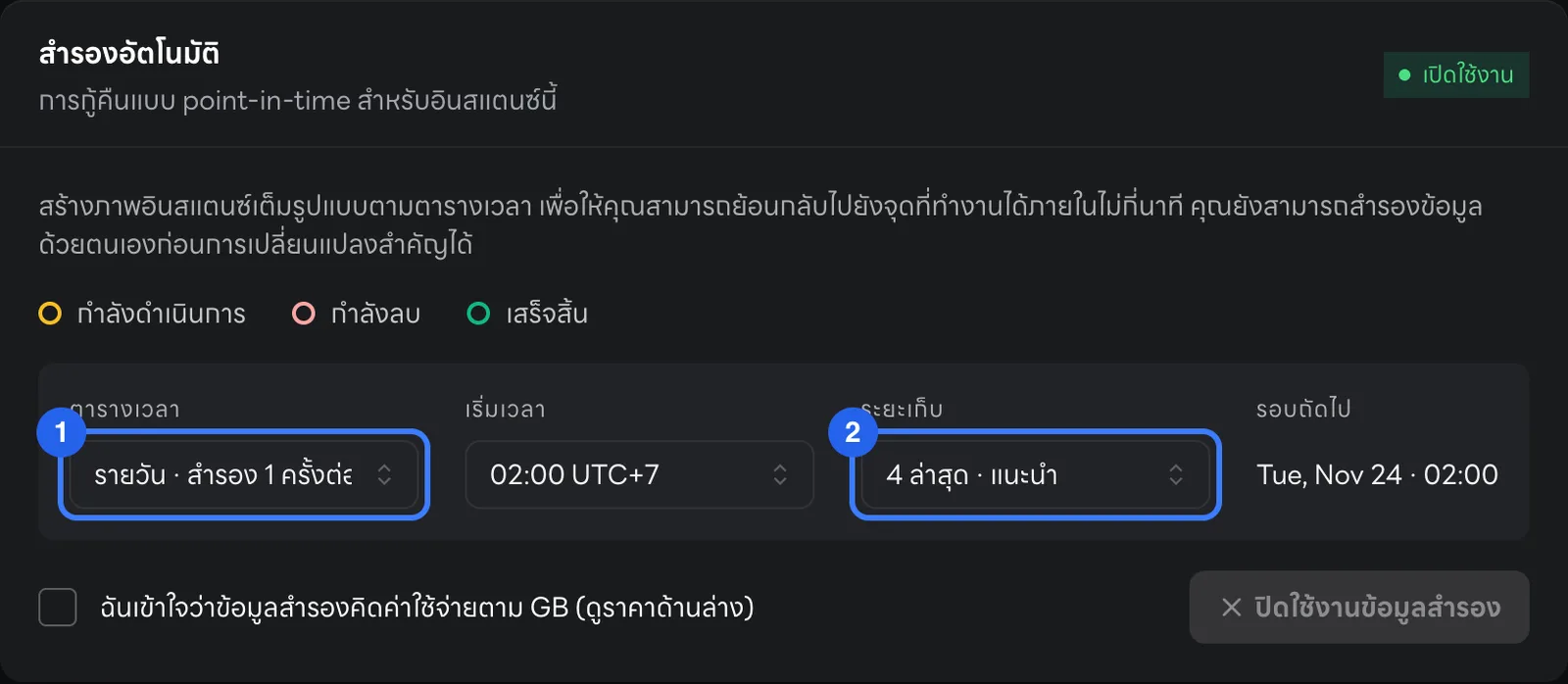
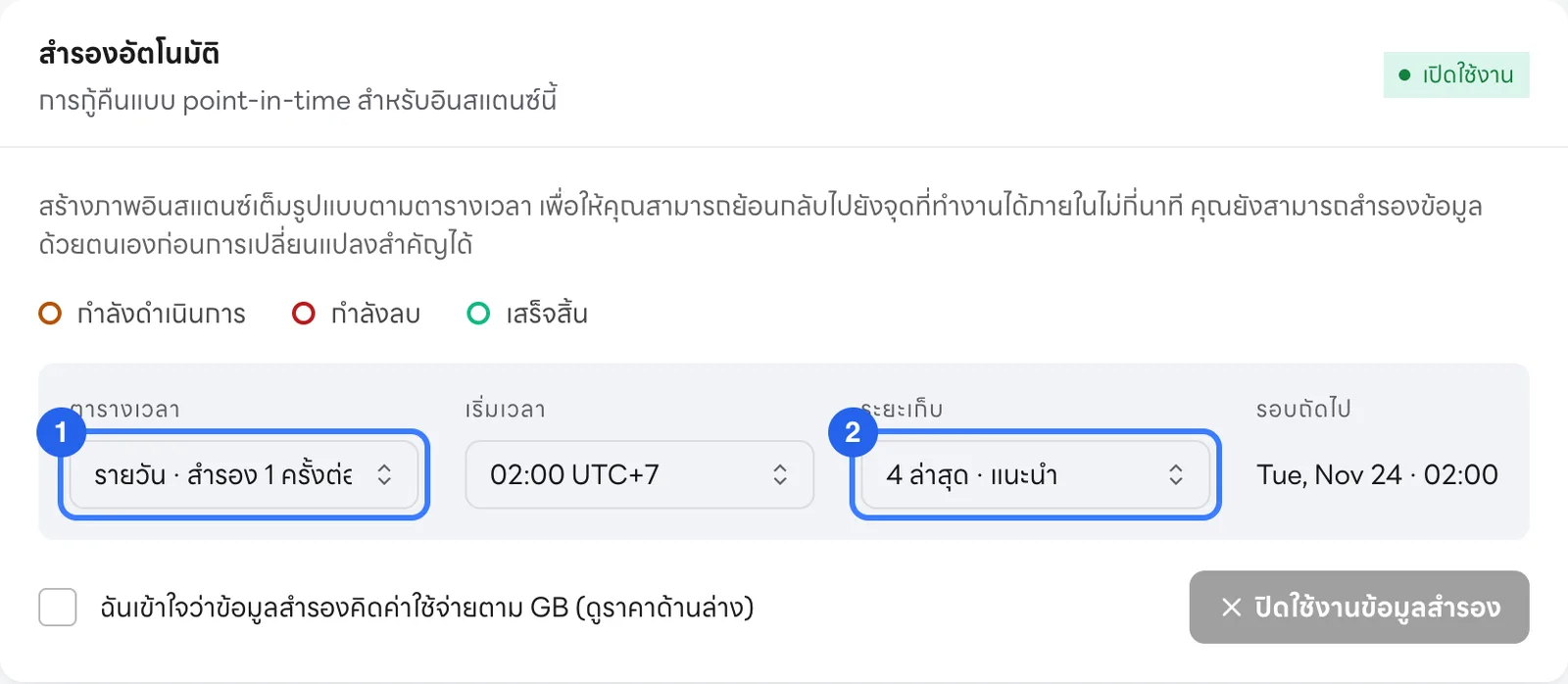
- Open the server, then the Backups tab
- Enable, then choose how often, when, and how many to keep
- Read the cost and confirm
- Press Backup now to make the first one
Restore#
- Detach Block Storage first: a restore is refused while a volume is attached
- Pick a backup that succeeded and restore it
- Wait for the server, then check the site and the database
How it is billed#
- Size of a backup (GB)
- × number kept
- × price per GB-hour
- × hours kept
Try numbers in the price calculator.
What it does not cover#
| Not included | Do this |
|---|---|
| Data on Block Storage | Export or copy it out yourself |
| A copy outside XVer | Keep important files somewhere else too |
| Bare Metal Server | Use backup software on the machine |
Questions#
I have HA. Do I still need backups?
Yes. HA helps when hardware fails, not when a file is deleted or the system breaks from inside.
Must the server be off?
No, backups use snapshot mode. Export a busy database as well.
Can I restore one file?
A restore covers the whole server. For single files, also copy them with rsync or restic.

