

 Agent Zero vs
 OpenMausBot: Autonomous OS Agent vs Sidebar Bot Team on a VPS
Compare Agent Zero (self-contained OS workspace with code execution and Telegram) against OpenMausBot (multi-bot chat sidebar with approvals and CLI scripting).
The XVer team 4 min read 10 min to do Beginner
Also in ภาษาไทย
On this page
Agent Zero and OpenMausBot are both open-source AI agents you self-host on a Cloud Server, built around two distinct workflows. Agent Zero operates as an autonomous agent with its own computer that searches the web, writes code, and executes tasks end to end. OpenMausBot (also called MausBot) gives you a sidebar roster of specialist bots you message like coworkers, each with its own role, model, memory, and approval prompts.
Side-by-side comparison#
Verified from each project's repository and Marketplace documentation.
| Area | Agent Zero |
OpenMausBot (MausBot) |
|---|---|---|
| Maintainer | Agent Zero s.r.o. ( GitHub (opens in a new tab)) |
Milind Soni & contributors (GitHub (opens in a new tab)) |
| License | MIT | Apache-2.0 |
| Workflow model | Autonomous agent with its own computer that delegates subtasks | Sidebar roster of specialist bots with separate roles and memory |
| Local web UI via SSH | http://localhost:5080 |
http://localhost:8799 |
| Mobile or script access | Telegram syncs the exact same chat as the web UI | Scriptable via openmausbot run without opening a browser |
| Model connection | Model provider API keys in settings | ChatGPT or Claude account, or your own API keys |
| Safety & approvals | Custom extensions, projects, and agent roles in settings | Bots prompt for confirmation before actions requiring approval |
| Local data storage | Memory and knowledge stored on your server | All bot data lives under ~/.openmausbot on your server |
Agent Zero: autonomous execution inside its own computer#
Created by Agent Zero s.r.o. in the Czech Republic, Agent Zero treats the operating system as its primary tool. Give it an open-ended research, data-processing, or coding request, and it plans steps, writes and runs scripts inside its environment, debugs failures, and summarizes the outcome.
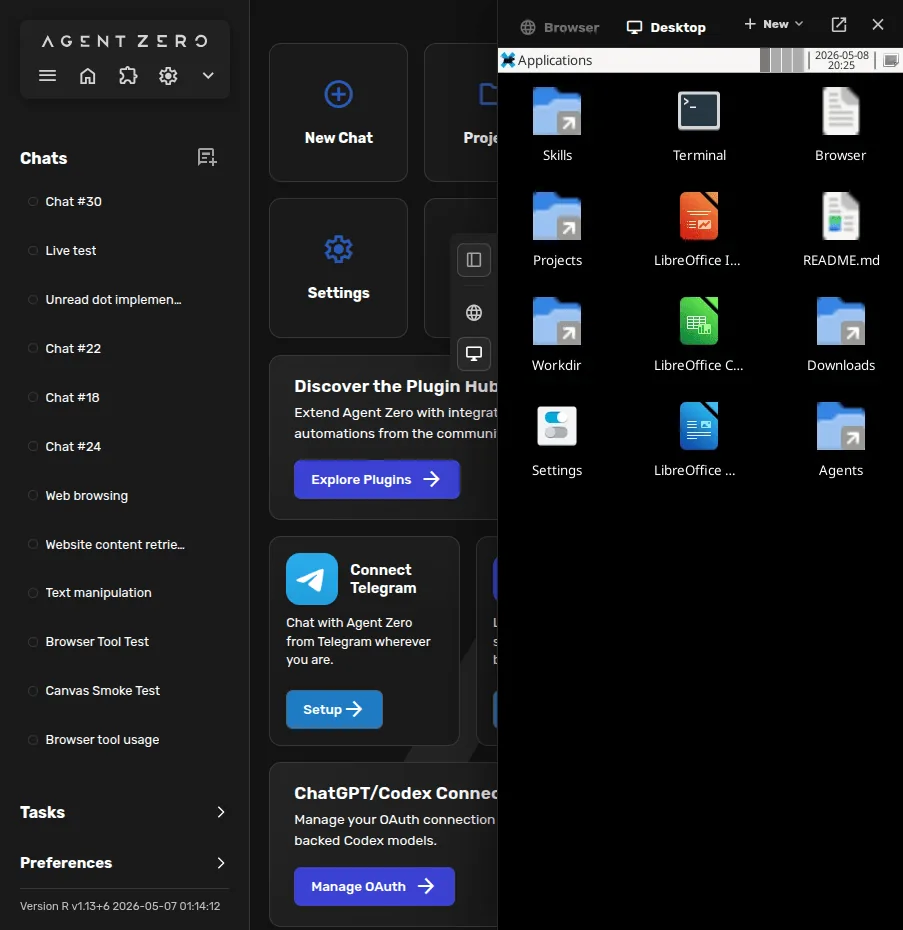 Agent Zero's built-in desktop workspace for running commands and managing files
Connecting Telegram mirrors the exact same conversation thread between the browser and your phone, so you can kick off a heavy task at your desk and check progress while away.
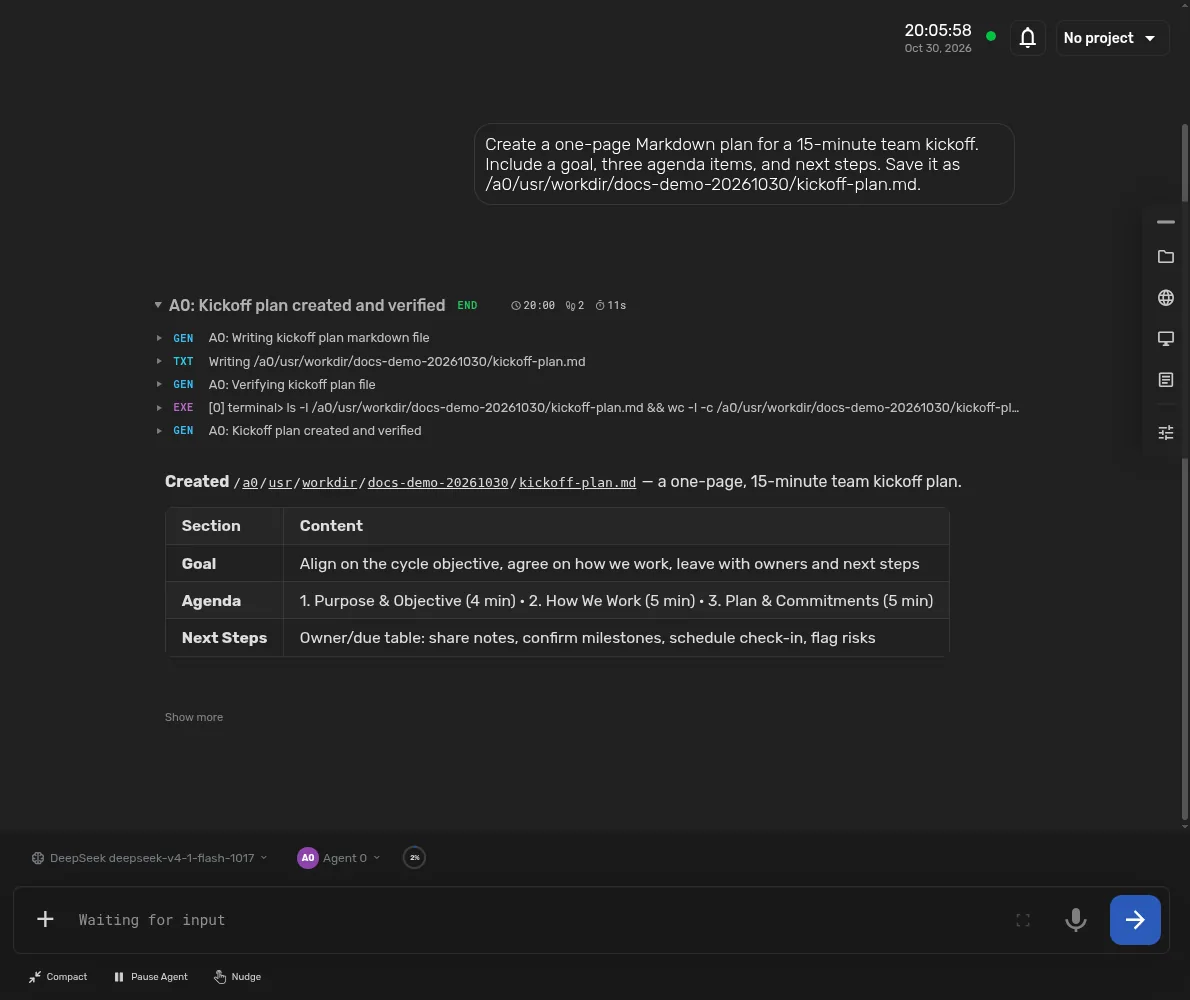 Agent Zero chat log detailing tool calls and final task output
OpenMausBot: a sidebar team of specialist bots#
OpenMausBot feels like a team chat app. Each contact in the sidebar (such as a Chief of Staff or research bot) carries its own system instructions, chosen model, and memory, preventing context from one project from bleeding into another.
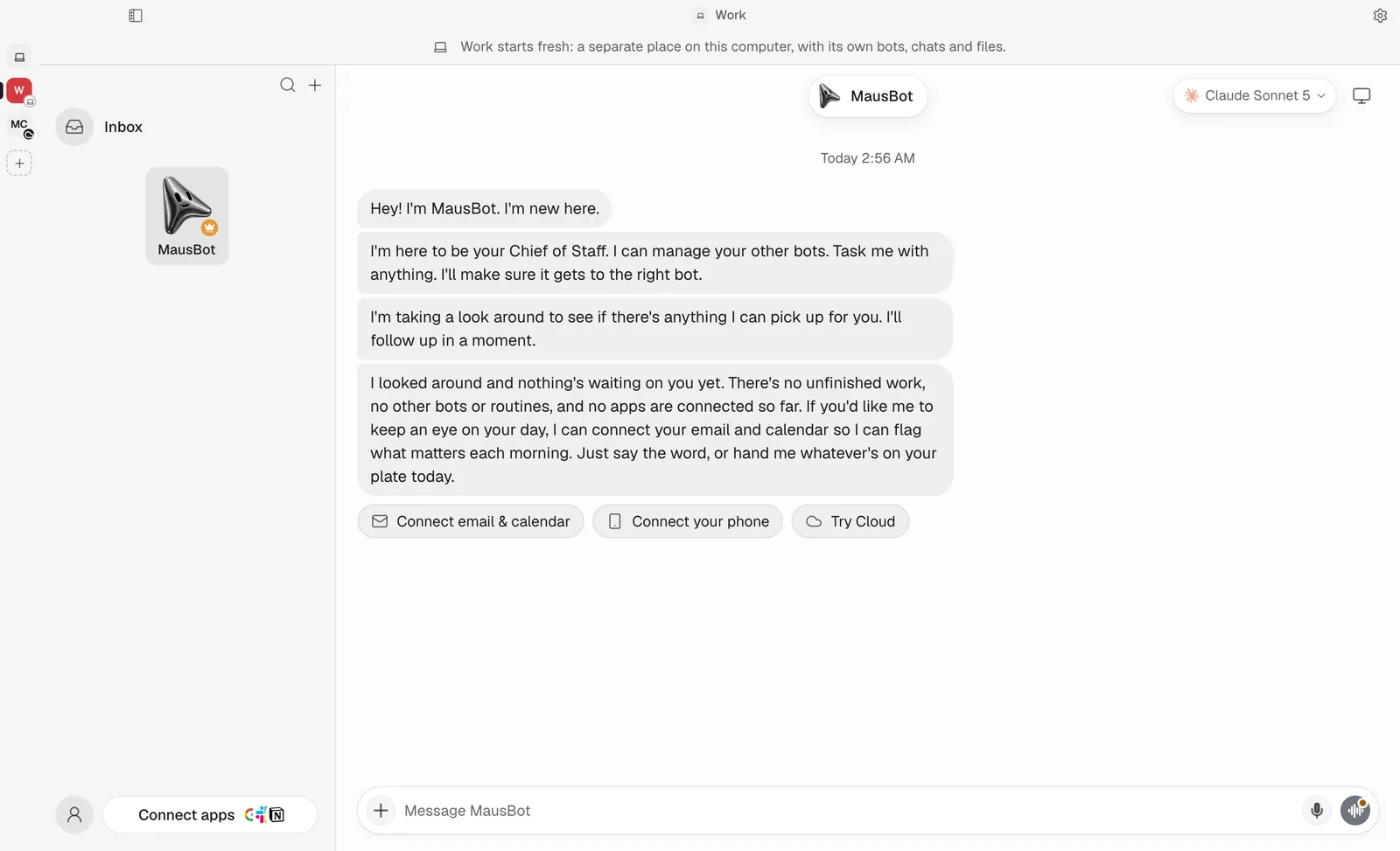 OpenMausBot browser workspace with individual bots listed in the sidebar
Onboarding runs through openmausbot setup and accepts ChatGPT or Claude accounts alongside standard API keys. For unattended jobs or cron pipelines, openmausbot run sends a prompt to a specific bot and waits for its response directly in the shell.
- Your computer opens an SSH tunnel to port
5080(Agent Zero) or 8799(OpenMausBot) - Your XVer Cloud Server hosts the agent runtime, memory, and workspace files
- AI model provider processes prompts through your API key or linked account
Which one fits your use case#
Choose Agent Zero
- You want one autonomous agent that writes and executes code to solve open-ended problems
- You want full Telegram sync alongside a rich browser interface
- You plan to customize extensions, projects, and local knowledge bases
Choose OpenMausBot
- You prefer separate specialist bots in a sidebar with distinct models and isolated memories
- You want chat-level approval prompts before a bot executes sensitive steps
- You want to reuse a ChatGPT or Claude account or trigger bots from shell scripts via
openmausbot run
SSH tunnel commands and server pricing#
Both apps start cleanly on 2 vCPU, RAM 4 GB, NVMe disk 40 GB, Bandwidth 4 TB. Use the matching SSH tunnel command from your computer after 1-click deployment:
Agent Zero (port 5080)
ssh -N -L 5080:127.0.0.1:5080 xver@SERVER_IPOpen http://localhost:5080 in your browser to add your API key and optional Telegram bot token.
OpenMausBot (port 8799)
ssh -N -L 8799:127.0.0.1:8799 xver@SERVER_IPRun openmausbot setup on the server first, then open http://localhost:8799 in your browser.
Want agents with interactive browser screens you can click into for logins? Read  Rakazo on a VPS or compare all 13 options in how to choose a self-hosted AI agent.
Frequently asked questions#
Are Agent Zero and OpenMausBot free to self-host
Yes. Agent Zero is MIT-licensed and OpenMausBot is Apache-2.0. XVer charges only for the Cloud Server, and you pay your AI model provider directly.
Do I need to be a programmer to use Agent Zero
No. You describe goals in plain language on the web page or in Telegram, and Agent Zero writes and runs the necessary commands inside its workspace.
Can OpenMausBot use my existing ChatGPT or Claude account
Yes. Running openmausbot setup supports connecting a ChatGPT or Claude account as well as standard model API keys.
Where are memories and files stored
All chats, memories, and generated files remain on your Cloud Server (under ~/.openmausbot for OpenMausBot). Back up anything important before deleting the server.


