

- AI Agent
 Rakazo
- VPS
- Open Source
Rakazo on a VPS: Run a Self-Hosted AI Agent Team With Their Own Computers
How Rakazo gives each AI agent a browser, terminal and filesystem on your Cloud Server, plus Team vs Private computer sizing and SSH setup.
The XVer team 5 min read 10 min to do Beginner
Also in ภาษาไทย
On this page
Rakazo is an open-source (Apache-2.0) AI agent team where agents get their own computer with a browser, terminal, and files on your server. You assign tasks from a web workspace, watch the agent work live, and click in to handle logins yourself when needed.
What Rakazo does beyond a chat window#
Instead of stopping at text replies, Rakazo on  GitHub (opens in a new tab) spins up a real working computer for its agents. Each agent computer wakes when needed and sleeps when idle so your server resources are not wasted.
| Capability | How Rakazo runs it on your server |
|---|---|
| Agent computer | Opens a browser, runs terminal commands, and edits files on its own screen; you can watch and take over login pages |
| Multi-agent teamwork | Place several agents in a group chat, mention them by name, and let them divide and review work |
| Scheduled jobs | Automate recurring tasks such as morning email summaries and review every run in the same thread |
| Per-agent memory | Each agent keeps its own memory and conversation history locally on your server |
| Visual outputs | Agents can build full-screen dashboards and documents inside the workspace |
| Built-in usage tracking | Inspect request counts, tokens, and model spend inside Settings > Usage |
Team vs Private computers and VPS sizing math#
Sizing a Rakazo server depends on how many isolated agent computers run at once. According to the Rakazo computer documentation (opens in a new tab), each agent computer can use up to 2 GB of RAM and 2 CPUs.
- Rakazo web UI (
localhost:5173) where you talk to Chief or a group of agents - Team computer (default) shared across the workspace, keeping RAM usage compact
- Private computer (optional per agent) isolated files and browser sessions, up to 2 GB RAM each
Choosing the right Cloud Server plan#
| Workload | Concurrent agent computers | Suggested plan |
|---|---|---|
| Testing Chief and a shared Team workspace | 1 computer | 2 vCPU, RAM 4 GB, NVMe disk 40 GB, Bandwidth 4 TB |
| Running 2 to 3 Private agents at the same time | 2 to 3 computers | 4 vCPU, RAM 8 GB, NVMe disk 80 GB, Bandwidth 10 TB |
| Heavy multi-agent browser and code runs | 4 or more computers | 8 vCPU · 16 GB or larger |
Rakazo vs  OpenBot vs
 Agent Zero#
All three tools let AI agents act inside a real server environment, yet they take different approaches to licensing, team structure, and remote access.
| Feature | Rakazo |
OpenBot (Synthetify Labs) |
Agent Zero |
|---|---|---|---|
| License | Apache-2.0 | PolyForm Noncommercial (personal only) | MIT |
| Primary interface | Web UI over SSH (localhost:5173) |
Desktop, mobile, and web apps (openbot.run/app) |
Web UI over SSH (localhost:5080) + Telegram |
| Team structure | Named agents collaborating in group chats + Chief | Multiple assistants messaging and sharing files | Primary agent delegating to subagents |
| Execution environment | Team and Private computers that sleep when idle | Built-in browser + AI coding CLI tools | Dedicated OS workspace for code and shell tasks |
| Model connection | ChatGPT, Claude accounts, or API keys | Codex,  Claude Code, Grok, Cursor, or API keys |
Model provider API keys |
Choose Rakazo
- You want an Apache-2.0 open-source agent team suitable for both personal and work setups
- You want to watch a live browser screen and step in manually for logins
- You want multiple specialist agents collaborating in one group chat
Consider an alternative
- Prefer native mobile app control with no SSH tunnel? Read OpenBot vs
 CopilotKit OpenBot
- Prefer Telegram control and a code-first autonomous OS agent? Read Agent Zero vs
 OpenMausBot
Launch Rakazo on XVer in four steps#
Deploy directly from the Rakazo Marketplace page. XVer provisions  Ubuntu 26.04 with
 Docker and Rakazo ready in minutes.
- Click Install Rakazo, pick your plan (starting at 2 vCPU, RAM 4 GB, NVMe disk 40 GB, Bandwidth 4 TB), and choose an SSH key or password.
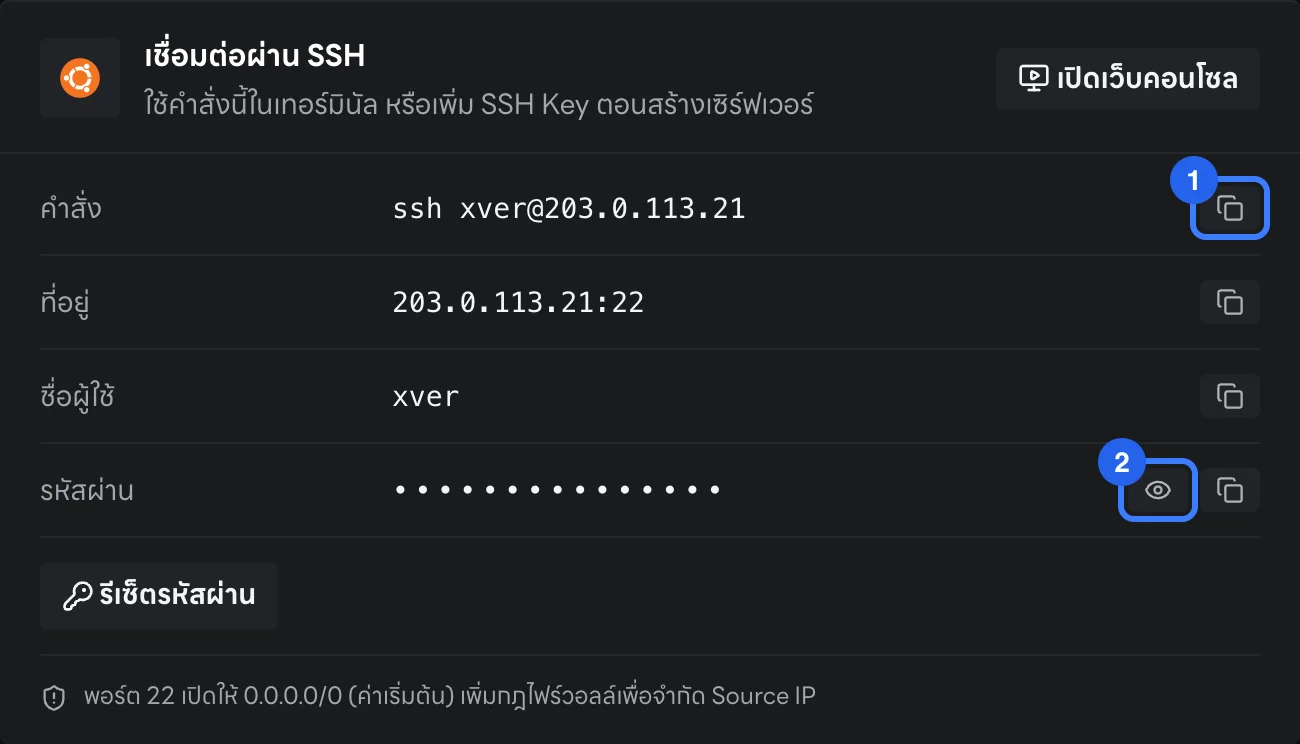
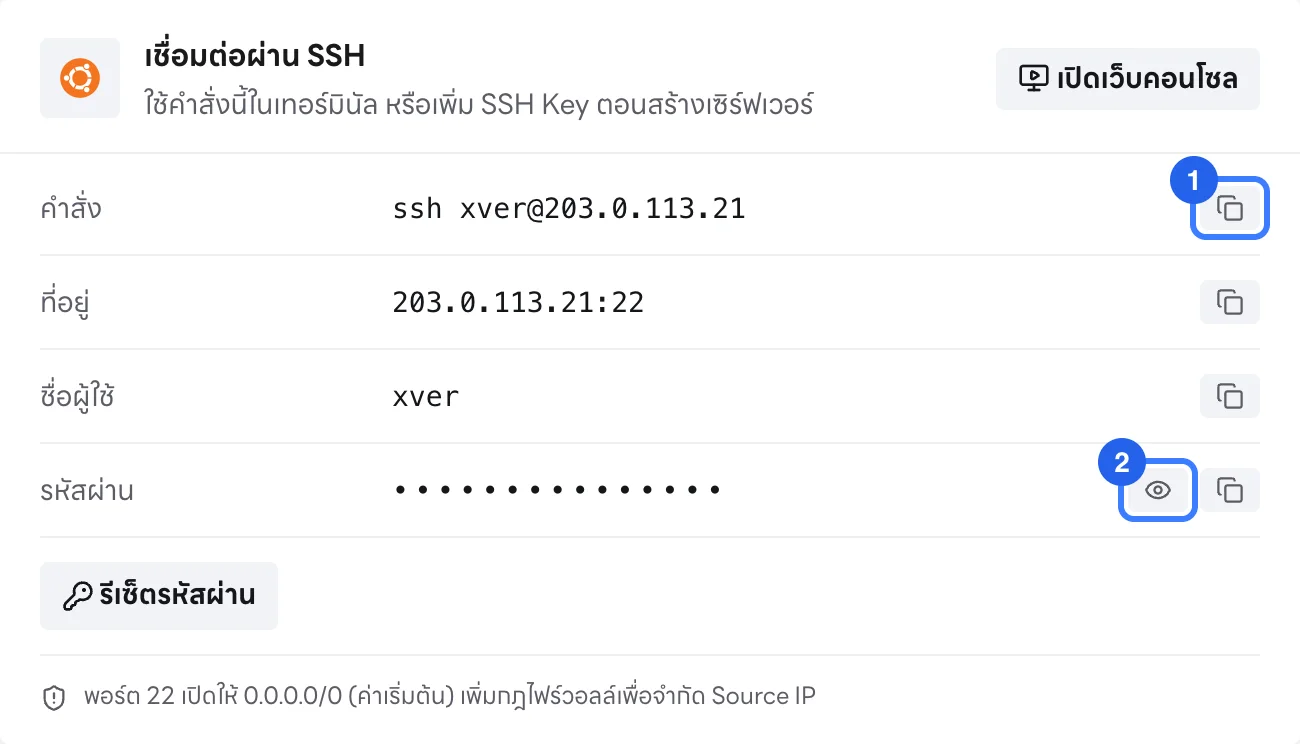
- Once the server is ready, open Terminal or PowerShell on your computer and start the SSH tunnel below.
- Visit
http://localhost:5173in your browser and register your first account. Save the password carefully, as there is no forgot-password reset flow. - Go to Settings > Models, connect ChatGPT, Claude, or an API key, and give Chief a quick test task.
Type your own values and the commands on this page follow
ssh -N -L 5173:127.0.0.1:5173 xver@SERVER_IPSuccess check: The terminal stays quiet with no error output, and http://localhost:5173 loads the Rakazo sign-up page.
Costs and security safeguards#
XVer charges only for the Cloud Server by the hour. Model usage is billed directly by your AI provider or drawn from your linked ChatGPT or Claude subscription quota.
| Issue | Fix |
|---|---|
http://localhost:5173 fails to load |
Confirm your SSH port-forward window is still open and wait a minute after initial boot or restart |
| Server slows down with multiple agents | Check how many Private computers are active simultaneously and upsize the server plan if needed |
| Forgot Rakazo account password |
Store credentials in a password manager during setup since the login page has no password reset |
| Disk still used after uninstalling the app | Separate agent computers may remain in Docker; delete the server when done to stop all billing |
For broader server hardening, read our Ubuntu security checklist or compare all 13 agents in how to choose a self-hosted AI agent.
Frequently asked questions#
Is Rakazo free for commercial projects
Rakazo is open source under the Apache-2.0 license with no app fee. You pay only for the Cloud Server and your chosen model provider.
Can I use a ChatGPT or Claude subscription instead of an API key
Yes. Under Settings > Models, you can sign in with a supported ChatGPT or Claude account or connect a standard model API key.
Where does Rakazo store chats and memory
Your accounts, conversations, and agent memory stay on your Cloud Server. Prompts are sent to the model provider you connect, and agents can interact with websites they visit.
Do scheduled tasks keep running after I close my laptop
Yes. Rakazo runs as a background service on your Cloud Server around the clock even after you close the SSH tunnel.
Why should Rakazo have its own dedicated server
Because Rakazo receives sudo, Docker, and internet access so agents can operate their computers, keeping it isolated protects production databases and credentials.

