

 nanobot vs
 ZeroClaw vs
 PicoClaw: Lightweight Self-Hosted AI Agents on a VPS
Compare three low-RAM open-source personal AI agents for Telegram,  Discord, and scheduled tasks on your own Cloud Server.
The XVer team 4 min read 8 min to do Beginner
Also in ภาษาไทย
On this page
- Feature matrix: nanobot vs ZeroClaw vs PicoClaw
- nanobot: clean wizard setup with an automation calendar
- ZeroClaw: single-binary speed with built-in guardrails
- PicoClaw: Go single binary with web launcher and MCP
- Which lightweight agent fits your workflow
- Server plan and cost control
- Frequently asked questions
If you want a 24/7 personal AI assistant inside Telegram or Discord without running a heavy multi-container stack, nanobot, ZeroClaw, and PicoClaw are the three sharpest lightweight open-source choices. All three keep memory locally on your server, open zero inbound internet ports, and run comfortably on the entry-level Marketplace plan.
Feature matrix: nanobot vs ZeroClaw vs PicoClaw#
Facts verified from each project's official repository and documentation.
| Feature | nanobot |
ZeroClaw |
PicoClaw |
|---|---|---|---|
| Maintainer | HKUDS, Univ. of Hong Kong ( GitHub (opens in a new tab)) |
ZeroClaw Labs (GitHub (opens in a new tab)) |
Sipeed (GitHub (opens in a new tab)) |
| License | MIT | MIT / Apache-2.0 | MIT |
| Footprint | Compact  Python gateway + web workbench |
Single binary, low RAM | Single Go binary, minimal RAM |
| First-run command | nanobot onboard --wizard |
zeroclaw quickstart |
picoclaw onboard |
| Local web UI over SSH | Web chat workbench and automation calendar | Local dashboard (port 42617) |
picoclaw-launcher console (port 18800) |
| Chat channels | Telegram, Discord, Slack, WhatsApp, and more |
Telegram, Discord, WhatsApp, Matrix, email |
Telegram, Discord, Slack, Matrix, and more |
| Standout strength | Automation calendar and easy Python customization |
Granular permission levels + emergency stop | Tiny Go binary with MCP tools and web search |
- Telegram, Discord, Slack, or WhatsApp on your phone or desktop
- Local gateway on your Cloud Server handling memory, schedules, and tools
- Your chosen AI model provider billed through your own API key
nanobot: clean wizard setup with an automation calendar#
Created by HKUDS at the University of Hong Kong, nanobot keeps its design small and readable. You can chat directly from the terminal (nanobot), bridge multiple chat apps through its gateway, or open the web workbench over SSH to inspect conversations and scheduled tasks on a calendar view.
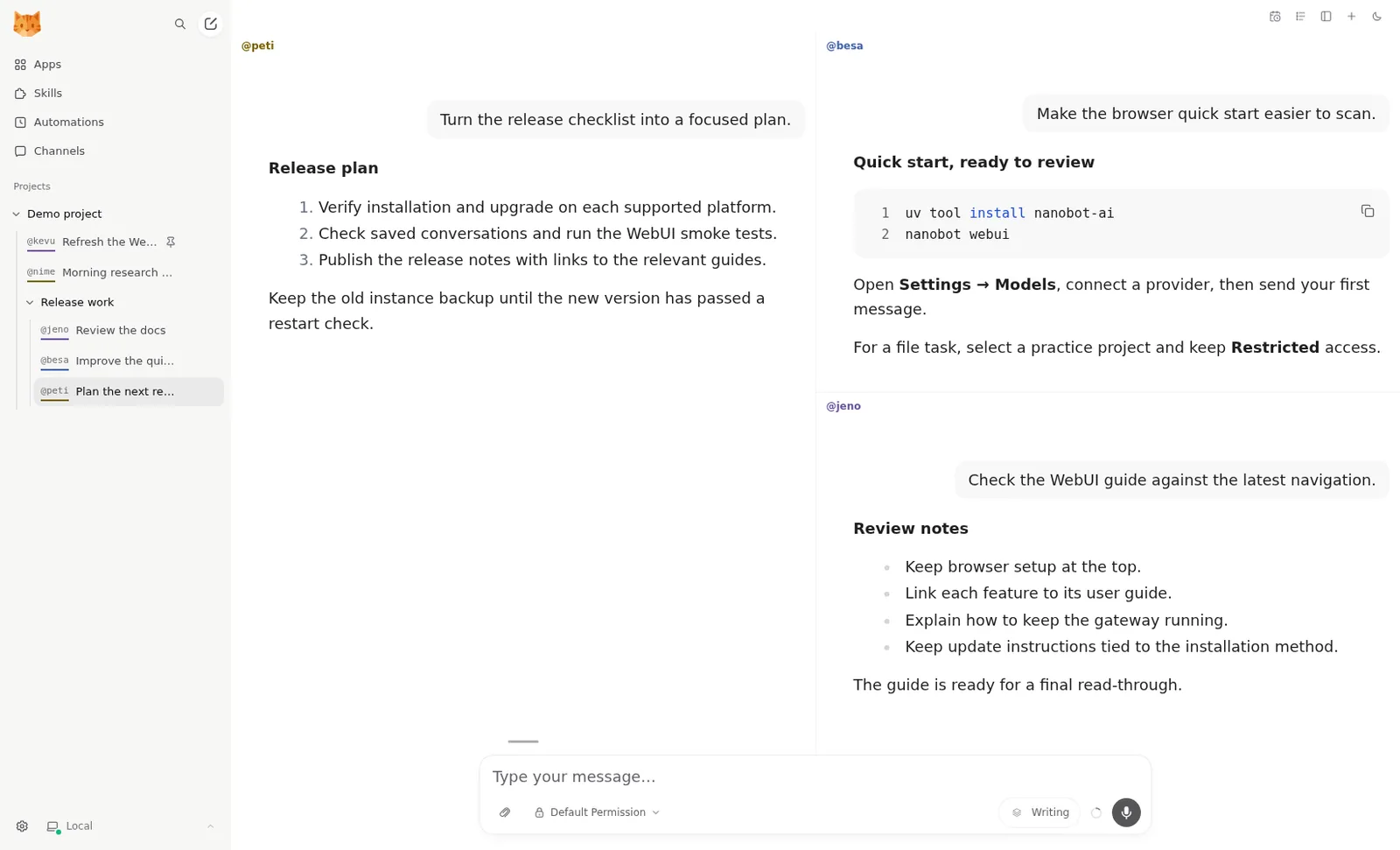 nanobot web workbench for testing prompts and managing scheduled automations
ZeroClaw: single-binary speed with built-in guardrails#
ZeroClaw from ZeroClaw Labs ships as a single fast program built for low memory usage. Its standout design choice is explicit risk control: you pick what actions the assistant is allowed to run on your server and keep an emergency stop ready. It also reaches beyond standard chat apps to Matrix and email.
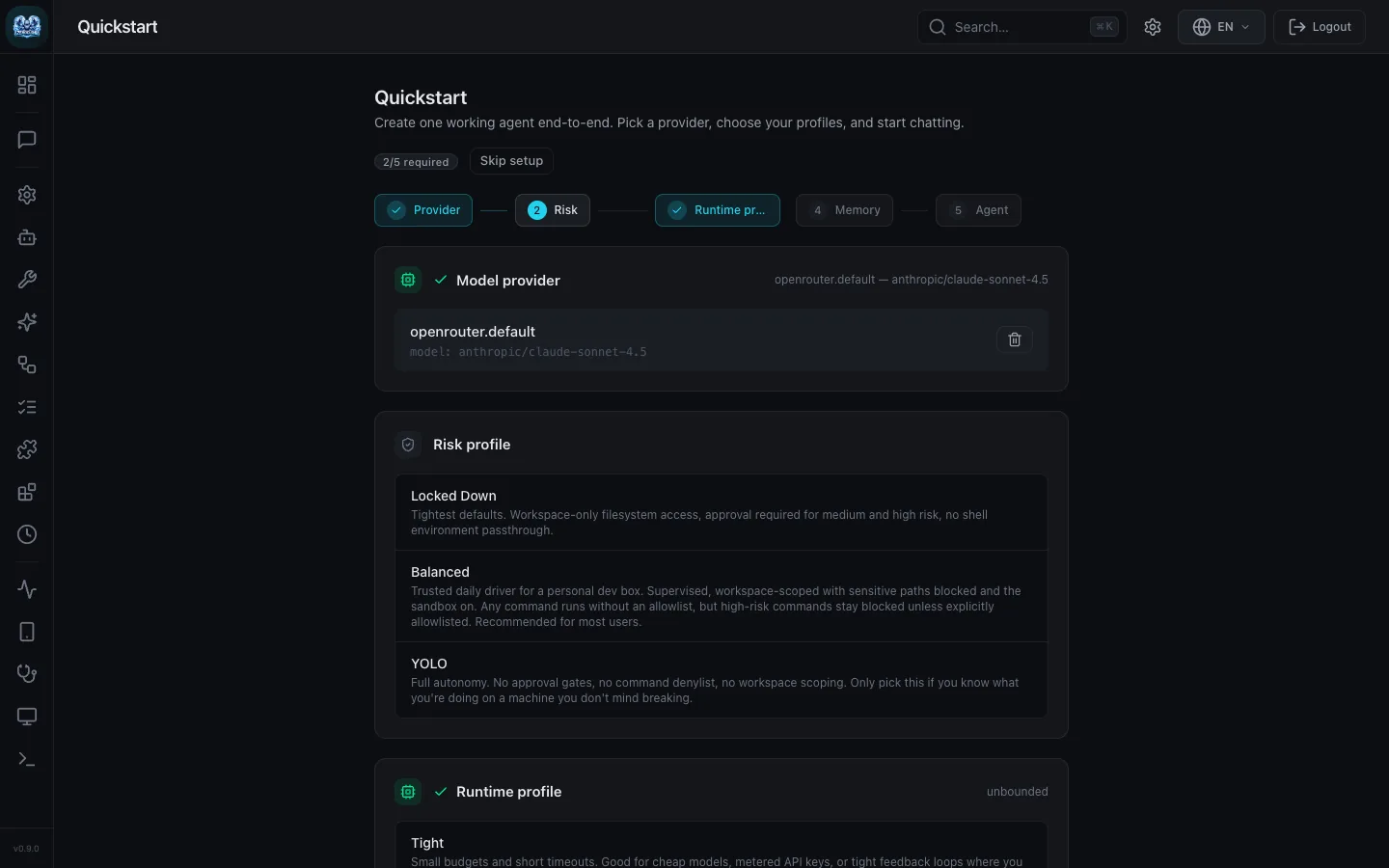 ZeroClaw local quickstart page accessed over SSH to configure providers and channels
PicoClaw: Go single binary with web launcher and MCP#
Built by AIoT hardware maker Sipeed in Go, PicoClaw packs persistent workspace memory, natural-language reminders, web search, workspace file operations, and MCP server support into a tiny single binary. Its picoclaw-launcher web console walks you through wiring up Telegram and other channels step by step.
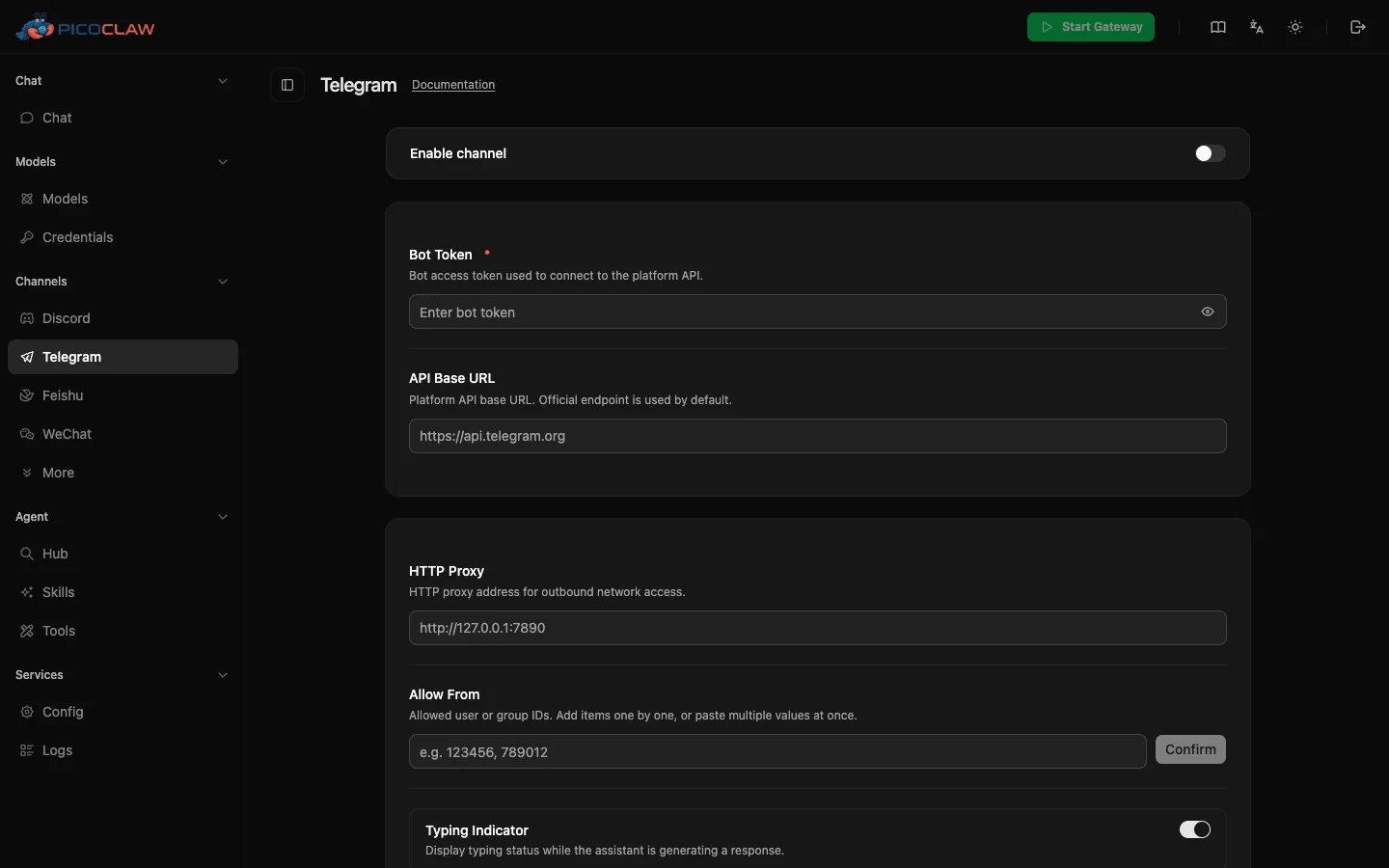 PicoClaw's local web console
Which lightweight agent fits your workflow#
Pick nanobot or PicoClaw
- nanobot: You want a visual automation calendar and a clean Python project you can inspect or tweak
- PicoClaw: You want the smallest Go binary with browser-guided Telegram setup and MCP integrations
Pick ZeroClaw or step up to a full gateway
- ZeroClaw: You prioritize strict execution safety tiers, an emergency stop button, or email/Matrix channels
- Want a full skill marketplace or self-learning skills? Read
 OpenClaw vs
 Hermes Agent
Server plan and cost control#
All three apps deploy on  Ubuntu 26.04 starting with 2 vCPU, RAM 4 GB, NVMe disk 40 GB, Bandwidth 4 TB. XVer bills only for the server by the hour, and you pay your AI model provider directly.
Need  LINE support, editable Markdown knowledge bases, or voice chat? Continue to
 AstrBot vs
 QwenPaw vs
 Moltis or review all 13 apps in how to choose a self-hosted AI agent.
Frequently asked questions#
How do nanobot, ZeroClaw, and PicoClaw differ from OpenClaw
They focus on minimal memory usage and faster single-purpose setup for personal chat bots, whereas OpenClaw offers a broader gateway with mobile companion apps and the ClawHub skill registry.
Do I need to open public firewall ports for Telegram or Discord
No. Each bot's gateway opens outbound connections to your chat providers, and any local web interface is reached privately over an SSH tunnel.
Which AI models work with these three bots
All three let you supply your own API key from major model providers such as OpenAI, Anthropic, Google Gemini, or OpenAI-compatible endpoints.
Should I run all three on one server
It is cleaner and safer to start with one agent per Cloud Server so API keys and workspace files remain isolated. Hourly billing lets you test one for a day and delete the server when finished.

